 English
Copart API: what data you can get and how to get it
Is there a public Copart API? What Copart data developers can get (lots, photos, damage, bids, final prices), the options, and real requests with code.
There is no open Copart API that any developer can sign up for and use to pull the full auction inventory. Copart builds its tools for members, brokers and the sellers who consign vehicles, so a third party who wants Copart lots, photos, bids and sold prices in JSON either collects the pages itself or uses a data provider that already does.
This guide covers what a Copart API is usually expected to return, which fields matter and why, the realistic ways to get them, and what the requests and records look like in practice. The examples use the AuctionsAPI auction endpoints, because that is the contract we know from the inside, but the field-level advice applies whichever way you collect the data.
If you only need one car's history, skip to the lot and VIN lookups. If you are building a catalog, read the sync section: that is where most Copart integrations go wrong.
Key takeaways
- Copart does not publish a general-purpose public data API; member tools and seller integrations are not a feed you can build a catalog on.
- A useful Copart record has the vehicle (VIN, specs) and the lot (lot number, damage, title, odometer, photos, sale date, prices) as separate objects.
- Current bid, final bid, Buy It Now and seller reserve are four different numbers, and only the final bid means what the car sold for.
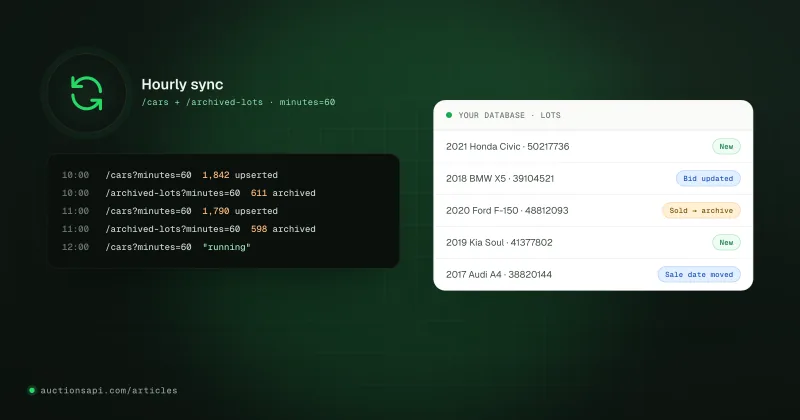
- A catalog stays fresh with one hourly job over two feeds: changed active lots and lots that left the auction.
- Sold-lot history cannot be backfilled from Copart's public pages later, so whoever holds the archive matters more than who scrapes fastest.
Is there an official Copart API?
Not in the sense most developers mean. As far as public information goes, Copart does not offer an open REST API with self-service keys for reading its buyer-side inventory. What exists is aimed at people who already do business with Copart: registered members bid and search through the website and the mobile apps, with watchlists, saved searches and alerts; large sellers such as insurers and fleet owners send vehicles in through integrations Copart arranges with them; brokers get account tools for the buyers they represent.
None of that is a feed. You cannot ask a member account for "every lot that changed in the last hour, as JSON", and Copart's terms of use restrict automated collection from the site. Read them on copart.com before you write a crawler. If Copart ever launches a public data API, check its terms and coverage first: it would be the primary source.
So when someone searches for "copart api", they usually mean one of two things. Either they want Copart data inside their own product (a catalog, a VIN history page, a price tool, an import calculator), or they want to automate something inside their own Copart account. This article is about the first case.
What Copart data developers actually need
Look at a Copart lot page and you see one listing. Model it that way and you will regret it. The same car can be offered several times (it fails to sell, it is relisted, a rebuilder buys it and sells it again a year later), so a usable record splits into a vehicle (VIN, year, make, model, specs) and one or more lots (each auction appearance with its own number, photos, damage, odometer, prices and dates).
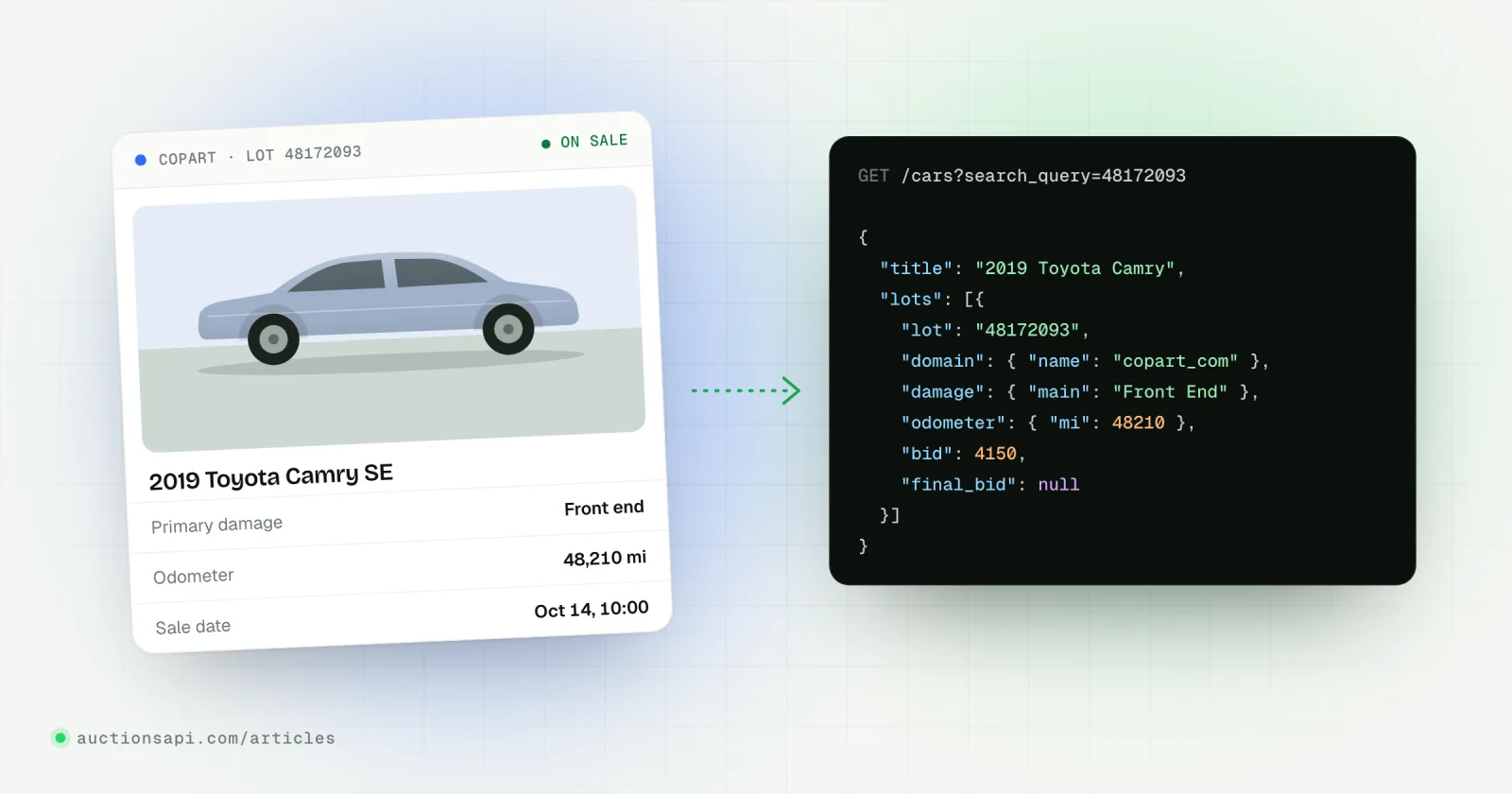
Here is how the things a buyer reads on a Copart lot page map to fields in a JSON record. Names are from the AuctionsAPI vehicle object; any provider worth paying should give you something equivalent.
| On the Copart page | Field in the API | Why it matters |
|---|---|---|
| Lot # | lots[].lot | What buyers type into search. Not unique across sources. |
| VIN | vin | Joins every lot of the car, on Copart and elsewhere. |
| Odometer + Actual / Not actual | lots[].odometer (km, mi, status) | Mileage without its status is half the fact. |
| Primary / secondary damage | lots[].damage.main, .second | The main filter on salvage sites. |
| Title (state + type) | lots[].title, detailed_title | Salvage, clean, certificate of destruction: decides who can buy and register it. |
| Highlights (Run and Drive, Engine Start) | lots[].condition | A check-in observation, not a guarantee. |
| Sale date | lots[].sale_date | ISO 8601 UTC; convert to the reader's time zone. |
| Current bid | lots[].bid | Changes until the sale. |
| Buy It Now | lots[].buy_now | Only when above 0. |
| Sale status (Pure Sale, Minimum Bid, On Approval) | lots[].auction_type | Tells whether the high bid must still be approved. |
| Final price | lots[].final_bid | Hard to get from public pages once the sale is over; this is what archives are for. |
| Photos, video | lots[].images (small, normal, big, video) | Hosted by the source; URLs can change or expire. |
| Yard / location | lots[].location, selling_branch | Transport cost starts here. |
| Keys | lots[].keys_available | A missing key changes towing and value. |
Two of those deserve a closer look. The seller reserve (the minimum a seller will accept on a Minimum Bid lot) is useful to buyers and is never a sale price. And the final bid is the single most requested field in this market, because it is hard to get from Copart's public pages once the auction is over. Our guide to Copart sold prices covers that in detail.
Three ways to get Copart data into your app
1. Collect it yourself
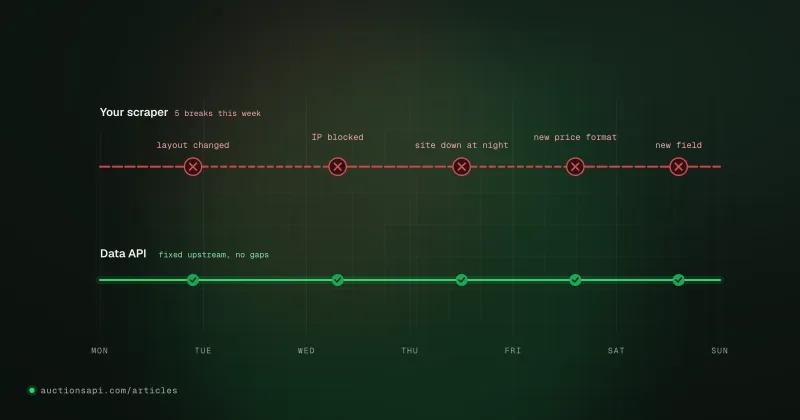
You write a crawler for search results and lot pages, parse the fields, store photos or their links, and keep it running. It looks like a weekend job and is not: you need proxies, monitoring, a fix every time the page layout changes, and an archive that only starts the day you switch it on. The terms-of-use question sits on top of that. We go through the real cost line by line in Scraping Copart yourself vs using an API.
2. Use a data provider
Someone else runs the collection and hands you a stable contract: JSON over HTTPS, an API key, documented fields and enums. You pay for access instead of engineering time. What separates providers in practice is the boring part: whether final prices are kept, how far back the archive goes, how quickly a changed bid shows up, whether IAAI arrives in the same schema, and whether there is a change feed or you have to download everything again.
3. Work by hand inside a member account
For a broker handling a dozen cars a week, a Copart account with watchlists may be all you need. It does not scale to a catalog and gives you nothing to put in a database.
| Own scraper | Data provider | Member account | |
|---|---|---|---|
| Time to first data | Weeks | Minutes (demo key) | Immediate, by hand |
| Sold prices / archive | From the day you start | Whatever the provider has kept | Limited |
| IAAI in the same format | A second scraper | Usually included | Separate account |
| Who fixes it when Copart changes | You | The provider | Nobody needs to |
| Running cost | Proxies, servers, engineer hours | Subscription | Your time |
What a Copart API request looks like
Every endpoint below is a GET with the key in the x-api-key header. Copart is source 3 (copart_com), IAAI is 1 (iaai_com). The base URL is https://auctionsapi.com/api. The full parameter list lives on the /cars reference page.
List active Copart lots
The answer is { "data": [...], "links": {...}, "meta": {...} }. Follow links.next until it is null. A page holds 50 vehicles by default; Demo and Small keys stop at 50, Unlimited goes to per_page=1000. A per_page above your plan's limit is rejected with a 400, not clamped.
Filters stack with AND: manufacturer_id, model_id, from_year / to_year, damage (text from the damage dictionary), document_title, buy_now=1, bid_price_from / bid_price_to, odometer_to_mi, state_code, next_hours_auction for upcoming sales, and the enum filters such as condition=0 for run-and-drive. The same request in JavaScript, paging through everything:
Note the filter on domain.id at the end. domain_id=3 selects vehicles that have an active Copart lot, but if the same VIN is also listed on IAAI right now, lots[] contains that lot too. Always read the source from the lot before you show it under a Copart badge.
Look up one Copart lot or VIN
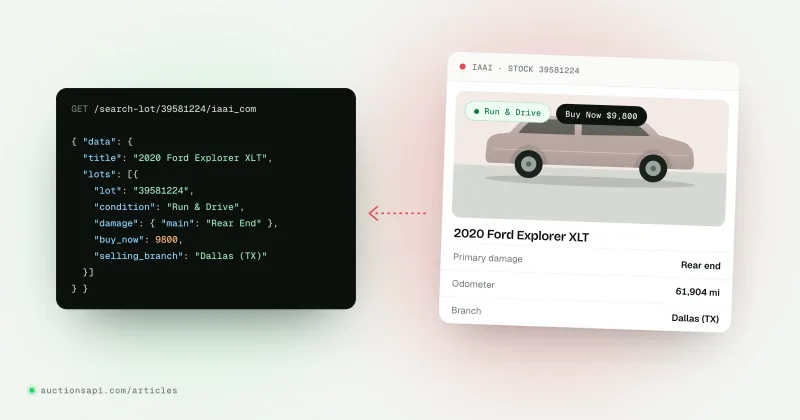
When a user pastes a lot number, call /search-lot/{lot}/copart_com. When they paste a 17-character VIN, call /search-vin/{vin}: it returns every lot of the car, active and archived, so it doubles as an auction history. Never send a VIN to the lot endpoint; route by shape first.
A 404 with "hint": "empty lots for your key" means the car exists but only on a source your key does not include. Show "not found" and move on; never fill the gap with a guessed price.
What a Copart lot record looks like
Trimmed to the fields a catalog card and a vehicle page need. Values are made up; field names are the real ones.
Treat every field as nullable. condition id 0 is a real value (run and drives), so do not test it with a plain truthiness check. Unknown enum ids can appear later; store the id and show the name as a fallback.
Reading Copart prices without mislabelling them
This is where most Copart-based sites get it wrong, and buyers notice. There are four numbers and they mean different things:
- `bid`: the current high bid. Once a final bid is recorded, this field returns the final bid too, so
bidalone does not tell you the car sold. - `final_bid`: what the lot sold for.
nulluntil it is known. It is the only field you may label "Sold for". - `buy_now`: the Buy It Now price, when it is above 0.
- `seller_reserve`:
{ price, updated_at }, the seller's minimum where it is known. Never a sale price and never an estimate;nullmeans we have no reserve, not that the reserve is zero.
A card that follows the rule: show "Sold for" when final_bid is set; otherwise Buy It Now with the current bid under it; otherwise "Current bid"; otherwise "No bids yet". Put the seller reserve on its own line with the time it was last seen. Amounts carry no fees, so if you show a total cost, add the auction's buyer fees, transport and duties yourself and say they are estimates. The prices guide has the full logic.
Keeping Copart data in sync
Do not call the API from your listing pages. Import once into your own database and keep it current with a scheduled job; serve search, facets and sorting from your tables (the API sorts only by internal id). Call the API live only for a vehicle page refresh or a lookup the user typed.
- 1ImportPage through /cars?domain_id=3 with the largest per_page your plan allows. Upsert vehicles by id and lots by lot id.
- 2ChangesEvery hour: /cars?minutes=75 for everything that changed since the last run, plus an overlap.
- 3ArchiveSame job: /archived-lots?minutes=75. Mark the lot (not the vehicle) archived and store its final price.
- 4ReconcileDaily or weekly: re-check lots you still hold as active but did not see in a full pass.
minutes is a rolling lookback (1 to 4320), not a cursor, which is why the window overlaps the last run. If your job was down for more than three days, re-import instead. Polling more often than every 10 to 15 minutes brings nothing new. The sync guide covers locks, retries and idempotent writes.
Copart data gotchas we see in integrations
- Lot numbers are not globally unique. The same number can exist on Copart and IAAI. Index on source plus lot, never on lot alone.
- A VIN is not a lot. A car that failed to sell and was relisted has two lots. A VIN page should show all of them as a timeline.
- Text filters fail quietly.
damageanddocument_titlematch against the damage and title dictionaries; a value that matches nothing is ignored rather than rejected. Validate against/usa/damagesand/usa/titlesfirst. - Photos live on the source. Image URLs can change size or expire. Load lazily, handle a 404 with a placeholder, and never send your API key to an image host.
- Sale dates are UTC. Auction pages show sale times in a local time zone. Store UTC and convert only for display, or you will be off by hours.
- Every request counts. Errors included. Validate parameters before you send them and do not retry an unchanged 400.
Where to start
Get a free demo key and run the three requests from the quickstart: one page of /cars, one lot lookup, one VIN. The demo key is enough to see real Copart records and check your parsing. When you are ready to plan an import, the Copart and IAAI API page lists what the feed includes, and the IAAI API guide covers the second source in the same schema.
Questions people ask
Does Copart have a public API?
Copart does not publish an open data API with self-service keys for third parties who want its inventory. It offers member tools (search, watchlists, alerts, the apps) and integrations for large sellers. Developers who need Copart lots in JSON use a data provider or collect the pages themselves, after reading Copart's terms of use.
Can I get Copart final sale prices through an API?
Yes, from a provider that records them. The final price is hard to get from public pages once the auction is over, so the value has to be captured when the sale closes and stored. In our record it is lots[].final_bid; it stays null until the final price is known, and the archived lot keeps it afterwards.
How do I search Copart by lot number in code?
Call GET /search-lot/{lot}/copart_com with your key in the x-api-key header. A lot number is digits with an optional final letter. Add prices_history=1 to get the bid history of the lot. If you have a 17-character VIN instead, call /search-vin/{vin}, which returns every lot of that car.
Is the seller reserve the price the car sold for?
No. The seller reserve is the minimum the seller said they would accept, recorded with the time it was last seen. A lot can sell above it, or fail to reach it and be approved or relisted anyway. Only the final bid tells you what the car sold for.
How often is Copart data updated?
Bids and lot details change constantly before a sale, and final prices arrive when the auction closes. With our API, data reaches you about ten minutes after the source updates, Buy Now prices refresh every 15 minutes, and an hourly sync job over the changed-lots and archive feeds keeps a catalog current.