 English
How to find what a car sold for at Copart or IAAI
Copart sold prices explained: where final bids come from, final bid vs Buy Now vs seller reserve, fees on top, and how to price a car from sold lots.
To find what a car sold for at Copart or IAAI, look up its lot by number or VIN in a source that kept the result after the auction closed: the auction's own member tools for recent sales, an archive site, or a data API that stores the final bid of every finished lot. Copart sold prices are not published as an open list, and the lot page itself stops being useful soon after the sale.
The number you find is the hammer price. It is not what the buyer paid: auction fees, taxes, storage and transport come on top. And it only means "sold for" when the lot's status says it sold.
Below is where the numbers come from, how to read them without mixing up final bid, current bid, Buy Now and seller reserve, and how to turn a pile of sold lots into a price range you can actually use.
Key takeaways
- A final bid is the hammer price only when the lot's status is sold; on a lot that ended without a sale it is just the last bid.
- Buyer fees, gate and environmental fees, storage and transport are not in any final bid, so add them before you compare with a retail price.
- Useful comparables match make, model, year, primary damage, title type, odometer and run status; make and model alone are too loose.
- Relisted lots and "on approval" sales distort averages: count each VIN once and drop lots that never sold.
- Aggregates such as an average final bid are a starting point; the individual sold lots behind them tell you why prices differ.
Where Copart sold prices come from
There are three places a finished Copart or IAAI lot leaves a trace, and each one has limits.
The auction sites themselves
Copart and IAAI show the result of a sale to their members, and how much you see depends on your account and on the lot. Neither runs a public, searchable list of every sold car with its price. Lot pages are built for buyers who are about to bid on that lot, not for research months later: once the car is paid for and picked up, the page loses its value for you.
If you are a member, the result of a lot you watched is usually easy to see. The trouble starts when you want 40 comparable cars from the last three months: you would have to have watched all of them.
Archive and history sites
Several sites keep finished Copart and IAAI lots with photos and the final bid, searchable by VIN or lot number. They are fine for checking one car. For pricing, check two things before you trust them: whether they mark lots that did not sell, and whether they show the date the bid was recorded. A site that shows the last bid of an unsold lot as "sold for" will push your estimate up.
Data APIs with an archive
A data API that watched the lot while it was live, and kept it after it closed, gives you the same record in a structured form: status, final bid, sale date, damage, odometer, title, location and photos. That is what you need for comparables, because you can filter and group thousands of lots instead of reading pages one by one. Our Copart and IAAI API works this way; the rest of this article uses its field names because they map one to one onto what the auctions show.
Final bid, sale price, Buy Now and seller reserve
Most mistakes in sold-price research come from reading the wrong number. A lot can carry four or five amounts at once, and they answer different questions.
| Value | What it is | Can you call it the sale price? |
|---|---|---|
Current bid (bid) | The highest bid so far while the lot is live. After the sale it holds the last bid. | No. On its own it does not tell you whether the lot sold. |
Final bid (final_bid) | The amount recorded when the lot closed. | Yes, but only when the status is sold. Otherwise it is the last bid of an unsold lot. |
Buy Now (buy_now) | A fixed price the seller offered before the auction. | Only if the car was actually bought at that price, which the price alone does not prove. |
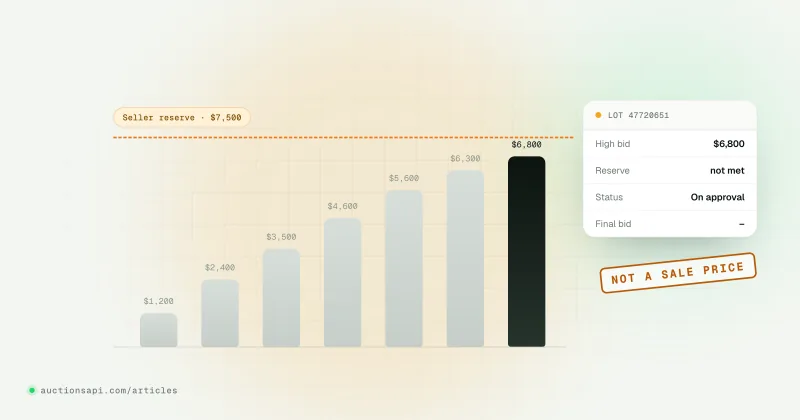
Seller reserve (seller_reserve) | The seller's minimum, where it is known. | Never. It is what the seller hoped for, not what anyone paid. |
Valuations (actual_cash_value, estimate_repair_price) | Figures the source publishes about the car. | No. They are estimates, often from the insurer. |
The seller reserve trips people up most. A reserve of $9,000 on a lot that closed at $7,400 with status not_sold says the seller refused $7,400; it says nothing about what the car is worth. We wrote a separate piece on how the seller reserve works and why a missing reserve is not the same as a zero reserve.
Status matters as much as the amount. In our data the auction status sold (id 6) is the one that turns a final bid into a sale price. not_sold (8) and failed (7) mean no sale. on_approval (4) means the high bid went to the seller for a yes or no, so the number is an offer until the status changes. The prices page of the documentation lists the rules we follow when we show these fields.
What the buyer paid on top of the final bid
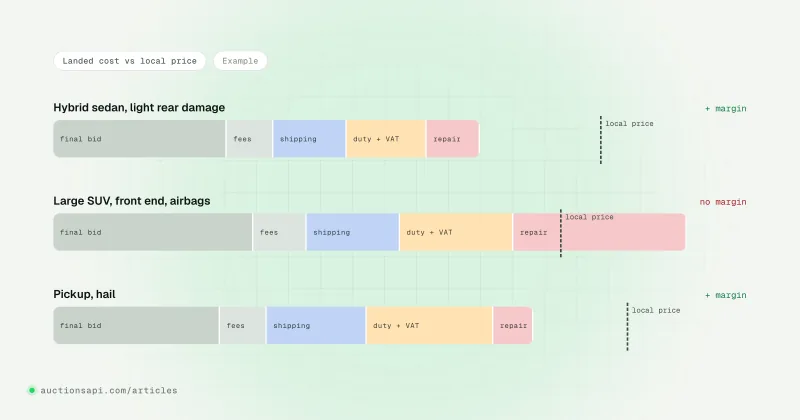
A final bid is a wholesale hammer price. The buyer's real cost is higher, and the gap is large enough on cheap cars to change the decision. The structure is similar at both auctions, though the names and amounts change over time and differ by member type, payment method and location:
- Buyer fee: a fee that grows with the sale price, usually in steps. It also depends on whether the buyer has a dealer licence and how they pay.
- Internet or virtual bid fee: charged when the bid was placed online, again stepped by price.
- Gate, environmental and title or documentation fees: smaller fixed amounts per car.
- Storage: daily charges after the free pickup period, which is short.
- Broker fee: if the buyer had no licence for that lot and bought through a broker.
- Transport, export and import costs: towing to a port, shipping, customs duty and VAT in the destination country.
Check the current fee tables on copart.com and iaai.com rather than any number you find in a forum post. For pricing research the practical rule is simple: compare final bids with final bids. If you compare a final bid with a retail asking price, add the fees and transport first, or you will think every auction car is a bargain.
How to use sold history to price a car
A useful estimate comes from a small set of lots that really resemble the car in front of you. Say you are looking at a 2018 Toyota Camry SE with front-end damage, a salvage title, 62,000 miles and a run-and-drive tag. These are the filters that matter, roughly in order of how much they move the price:
- Make, model, year and trim. A Camry XSE V6 and a Camry LE are different cars at auction. If trim is missing, the engine size often tells them apart.
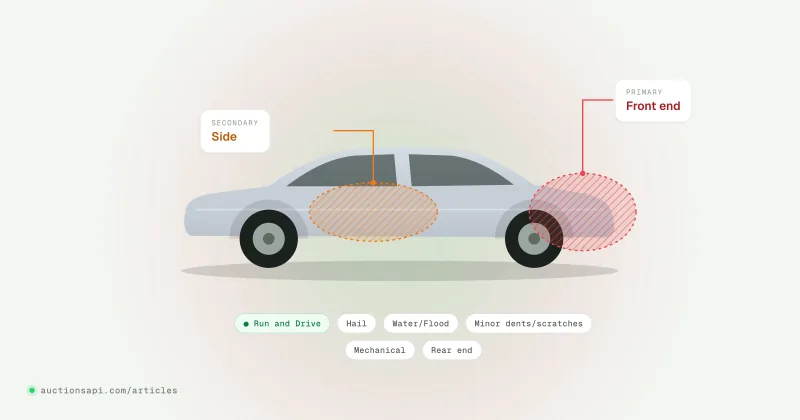
- Primary damage, then secondary damage. Front end, rear end, side, hail, flood and burn sit in very different price bands. A second damage on the same lot pulls the price down further. Our list of Copart damage types explains what each label covers.
- Title type. Salvage, certificate of destruction, clean title from an insurer: a certificate of destruction lot cannot be registered again in most states, which caps what anyone will pay.
- Run status and keys. "Run and drive", "engine starts" and "does not start" are separate bands. Missing keys cost money too.
- Odometer and its status. A reading marked not actual or exceeding mechanical limits needs its own comparison group.
- Sale date. Prices drift with the season and with the used-car market. Lots older than six months tell you less.
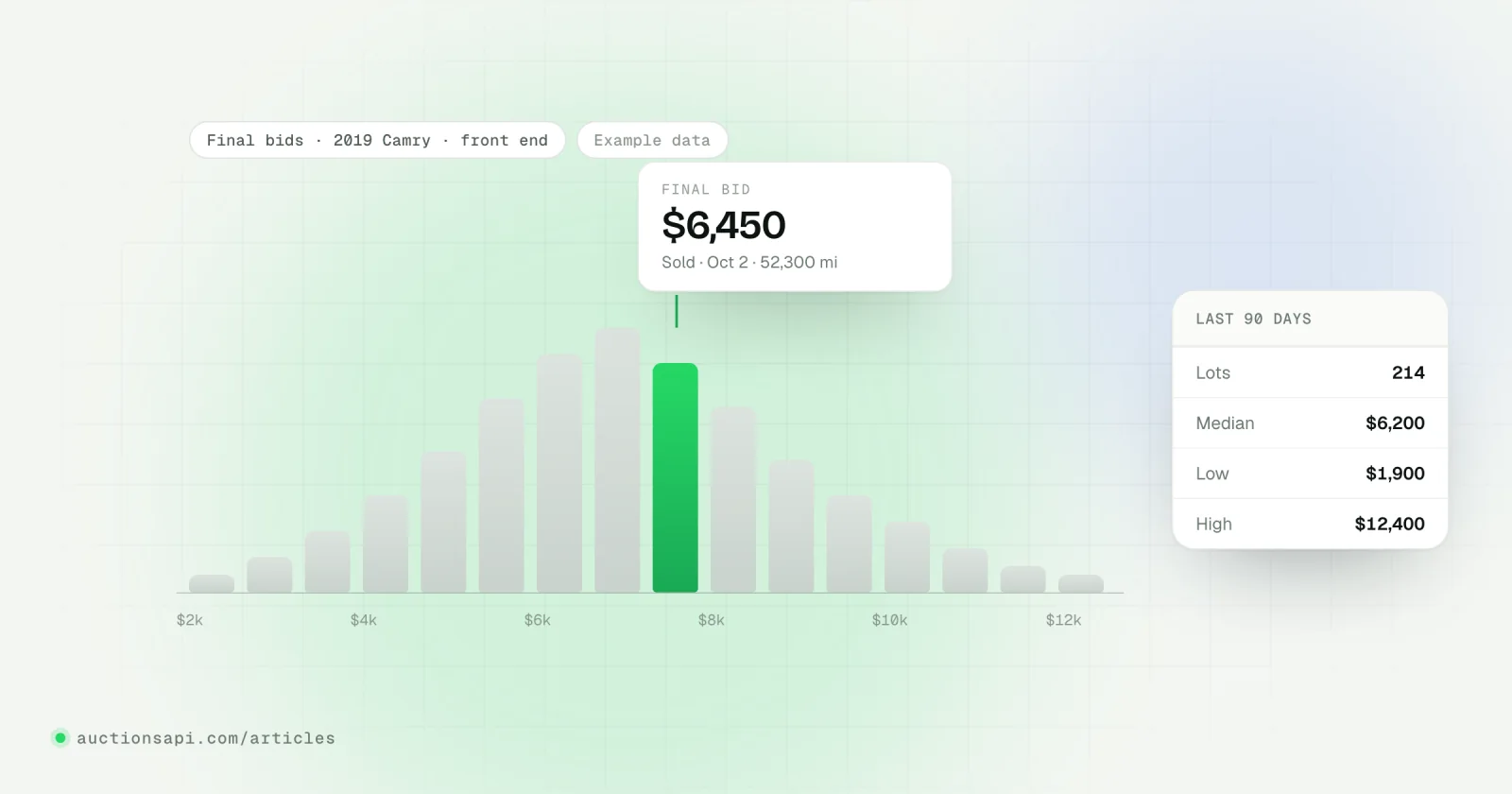
Twenty well-matched sold lots beat five hundred loose ones. Take the median rather than the average (one burned car or one bidding war moves an average a lot) and look at the spread between the 25th and 75th percentile. If the spread is wide, open the photos of the cheapest and the most expensive lots: the reason is almost always visible.
Getting sold prices from an API: archived lots and statistics
Two endpoints cover sold history. /archived-lots is a feed of lots that left the active inventory, each with its status and final bid. /statistics returns stored aggregates of final bids grouped by source, make, model, generation, engine, vehicle type and year. The base URL is https://auctionsapi.com/api and every request carries the key in the x-api-key header.
The archive feed
Ask for lots archived in the last hour (the window can be up to 4,320 minutes, 72 hours):
Each record is an archive event for one lot. The amounts are objects with a value and the time it was recorded:
Notice what is not there: damage, title, odometer and photos. The archive event tells you how a lot ended; the description of the car came with the lot while it was active. So the usual setup is to store lots from /cars while they are live, then attach the archive event to the stored lot by lot_id when it arrives. After a few weeks you have your own table of sold lots with every attribute you need for comparables. The feed has no make or model filter, and without minutes it reaches back roughly six months, so start collecting early. The archived lots reference has the page sizes per plan.
Sort the input by sale date, newest first, before you call it: the "one sale per VIN" rule then keeps the latest sale of a car that went through the auction twice.
Stored statistics
When you need a quick range rather than individual lots, /statistics gives average, minimum and maximum final bids with the number of lots behind them. Manufacturer and model ids come from /manufacturers/cars and /models/{manufacturer_id}/cars (BMW is 16):
Read these as what they are: stored aggregates with a calculated_at date, not a live quote and not a valuation of a particular car. A min of 2,100 and a max of 21,800 across 128 lots means the group mixes burned cars with lightly damaged ones; damage is not one of the grouping keys, so for a real estimate you still go back to the individual lots. There is no source filter either: read domain on each record to keep Copart and IAAI apart. Details are in the statistics reference.
One car by VIN
For a single car, /search-vin/{vin} returns the vehicle with all its lots, active and archived, each with its own status and final bid. That is the quickest way to see whether a car was sold before and for how much; checking auction history by VIN walks through reading those lots.
Pitfalls that skew sold prices
Lots that did not sell
An archived lot is not a sold lot. Lots leave the active inventory when the seller rejects the high bid, when the car is withdrawn, or when the sale is cancelled. If your source shows an amount for those, it is the last bid. Keep only sold in a price model, and keep the unsold ones separately: a model where half the lots fail to sell is telling you that sellers and buyers disagree about price.
Relists
A car that fails to sell often comes back under a new lot number a week or two later, sometimes at the other auction. Counted twice, it adds a phantom sale (if you misread the first result) or doubles the weight of one car. Group by VIN: the same car shows up as several lots of one vehicle, and you decide which result counts.
"On approval" and minimum bid sales
Lots sold on approval close with a high bid that the seller still has to accept. If you capture the number at the close and never check again, you will record offers as sales. Wait for the status to settle, and keep the final_bid_updated_at time so you know when the amount was recorded. Minimum bid lots behave similarly when the bidding stops below the minimum.
Currency and units
US lots are in US dollars, Canadian lots in Canadian dollars, and the amounts carry no currency code: take the country from the lot's location. Odometer readings come in miles and kilometres; compare like with like.
Thin groups
Five sold lots of a rare trim are an anecdote, not a price. Widen the year range by one on each side, or merge trims with the same engine, before you widen the damage type: damage moves the price far more than a model year does.
Where to start
For one car, look up its VIN and read every lot with its status rather than only the latest amount. For pricing a model, collect sold lots for a few weeks, filter them the way you would filter cars in your own head (damage, title, run status, odometer), and work with medians and spreads. When you are ready to automate it, the free demo key is enough to try /archived-lots and /statistics and see whether the data fits your model.
Questions people ask
Can I see Copart sold prices for free?
Partly. Copart shows sale results to its members, and some archive sites show recent final bids for a lot or VIN at no cost. What you will not find free is a complete, filterable history of every sold lot. For pricing research at scale you need an archive you collected yourself or a data API that stores final bids.
Is the Copart final bid the price the buyer paid?
No. The final bid is the hammer price. The buyer also pays a buyer fee, usually an internet bid fee, gate and environmental or documentation fees, any storage, and often a broker fee, plus transport and import costs. Fee tables change and depend on the member type, so check the current tables on copart.com.
What does "on approval" mean in Copart sale results?
It means the highest bid was sent to the seller, who can accept or reject it after the auction. Until the seller decides, the amount is an offer, not a sale price. If the seller rejects it, the car usually comes back later under a new lot number, so the same VIN can show several results.
How do I find what a car sold for at IAAI?
Search the VIN or the IAAI stock number in a source that kept the result after the sale: your IAAI account for lots you followed, an archive site, or a data API. Check the status as well as the amount: only a sold status means the final bid is the sale price.
Why do sold prices for the same model vary so much?
Because damage type, title, run status, keys and odometer matter more than the model. A run-and-drive Camry with minor scratches and a flooded Camry of the same year can be several thousand dollars apart. Compare only lots with the same primary damage and title type, and use the median of recent sales.