 English
Carfax and AutoCheck by API: how vehicle history report APIs work
Is there a Carfax API? How Carfax and AutoCheck reports are sold by API, what a report contains, the check-then-buy pattern, resale terms and code.
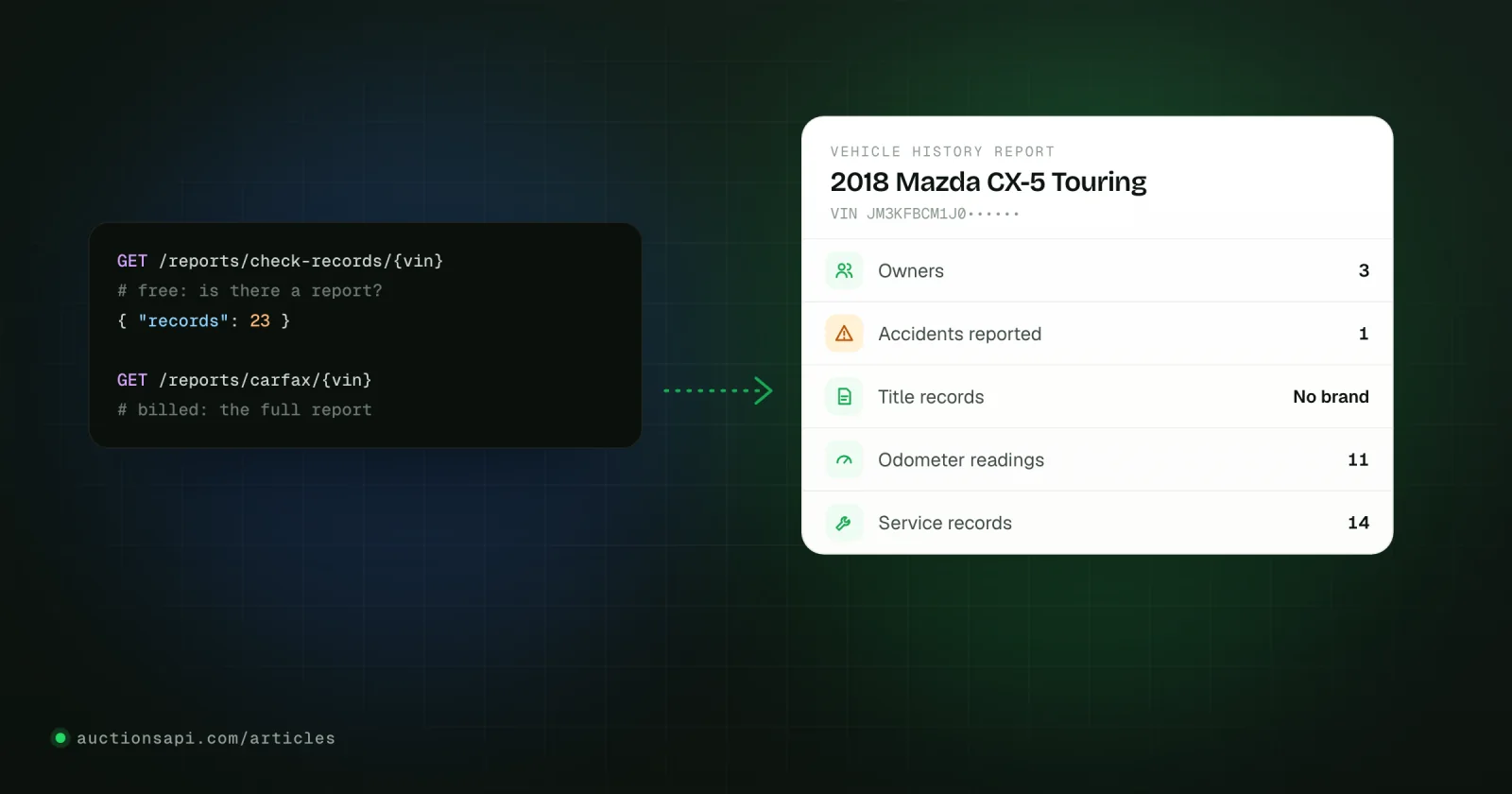
There is no public, self-serve Carfax API that any developer can sign up for. Carfax and Experian (which owns AutoCheck) license their vehicle history data to dealers, lenders, marketplaces and other partners under contract, so most websites and apps that offer "Carfax by API" go through a reseller: a service with its own agreement that lets you check how many records exist for a VIN and then buy the report, paying per report.
This article explains what Carfax and AutoCheck reports are, what is in them, how report APIs work in practice (check first, then buy), what to watch for in the terms of use, and how a vehicle history report differs from an auction history record. The code at the end runs against our own reports endpoints, which follow the same check-then-buy pattern.
Key takeaways
- Carfax and AutoCheck do not offer an open developer API; access goes through partner agreements or report resellers.
- A good report API has a free check step that counts records, so you only pay for reports that have something in them.
- A history report covers title brands, accidents, odometer readings, owners and service; it does not show auction photos or final bids.
- Report providers restrict how reports may be resold and published, so read the terms before you show reports to your own customers.
- For cars bought at Copart and IAAI, an auction history record by VIN complements the report rather than replacing it.
Is there a Carfax API for developers
Not in the way there is a maps or a payments API. Carfax does provide integrations, but to businesses it has a contract with: dealer software, dealer websites, listing sites, lenders and insurers. Those integrations come with commercial terms, minimum volumes and rules on where the report may be shown. Experian works the same way with AutoCheck. At the time of writing, neither publishes a signup page where a developer gets a key and pays per call.
That gap is what report resellers fill. They hold the commercial relationship, and you get a simple HTTP endpoint: send a VIN, get a report. Prices, coverage and terms vary between resellers, so compare them on three points: whether there is a free record check before payment, what happens when a report comes back empty, and in which formats the report is delivered (HTML, PDF, raw data).
Carfax and AutoCheck: what they are
Carfax is the best known vehicle history report in the US and Canada. It compiles records about a VIN from state motor vehicle agencies, insurers, police reports, repair and service shops, dealers, auctions and other sources, and presents them as one report with a timeline. Consumers buy it before purchasing a used car; dealers often attach it to their listings.
AutoCheck is Experian's vehicle history report. It covers similar ground and adds the AutoCheck Score, which compares the vehicle with others of the same make, model and year. It is widely used in the dealer and auction trade. The two reports draw on overlapping but not identical sources, which is why the same VIN can show an accident in one and not the other.
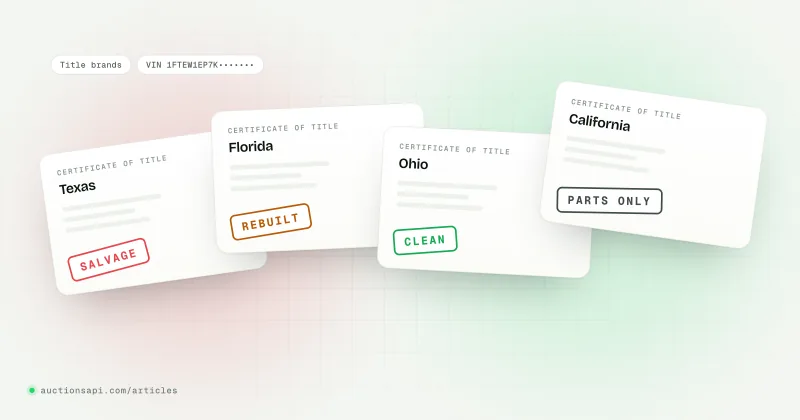
Both rely partly on title data from US states. The federal title database, NMVTIS, is the official source for title brands, odometer readings at title events and total-loss reports from insurers; its consumer reports are sold by approved providers listed on the NMVTIS website.
What a vehicle history report contains
| Section | Where it usually comes from | How much to trust it |
|---|---|---|
| Title history and brands | State title records | Strong for brands like salvage, rebuilt, flood and lemon buyback |
| Accidents and damage | Police reports, insurers, repair shops | Only what was reported; cash-paid repairs leave no trace |
| Odometer readings | Title events, inspections, service visits | Good for spotting rollbacks between dated readings |
| Owners and use | Registrations | Number of owners, personal, rental, fleet or commercial use |
| Service records | Dealers and shops that report | Patchy outside large dealer networks |
| Total loss and auction events | Insurers and auctions | Shows that a car was written off and sold, not what it looked like |
A report is a list of events that somebody reported. A clean report means nothing was reported, not that nothing happened. For a car that went through Copart or IAAI, you usually already know the important event: it was damaged and sold at a salvage auction. What the report adds is what came before (owners, mileage, earlier accidents, service) and the title brands across states. Our guide to salvage title brands explains the brands you will see.
How vehicle history report APIs work
Almost every report API follows the same two-step pattern, because a report costs money and a VIN without records produces an expensive empty page.
- 1Validate the VIN17 characters, no I, O or Q. Reject anything else before any request.
- 2Check recordsFree: how many records each provider holds for the VIN, and the vehicle name.
- 3DecideYour rule: buy only if there are records, or only above a threshold.
- 4Request the reportBilled: returns links to the HTML and optional PDF, and the balance after.
- 5Store the resultKeep the report id and links, so you never pay twice for the same VIN.
Two practical details matter more than they look. Report generation is slow compared with a normal API call, especially when a PDF is rendered, so use a long timeout and never fire the same request twice in parallel. And keep your own record of every report you bought: the second customer who asks about the same VIN next week should not cost you another report if your terms allow you to reuse it.
Designing the report feature
In an import business the report usually sits inside a larger flow: a customer sends a lot or a VIN, a manager decides whether the car is worth pursuing, and somewhere in between someone buys a report. A few design choices keep the cost predictable:
- Run the free check automatically for every VIN that enters your system, and show the record counts next to the lot. Managers then decide with the numbers in front of them.
- Make buying a report an explicit action with a confirmation, never a side effect of opening a page. A crawler or an impatient double click should not spend money.
- Store the report id, provider, VIN, date and links in your own table, and look there before you call the paid endpoint.
- Decide per provider. When one provider shows far more records than the other for a VIN, that one is usually the report worth buying first.
- Log who requested each report, so the monthly bill can be matched to customers or deals.
Coverage outside the US and Canada
Carfax and AutoCheck are built on North American records. For a car that spent its life in the US they are the reference; for a car first registered in Europe, Korea or the Gulf they have little or nothing to say. Korean cars, for example, have their own insurance and inspection history, which Korean marketplaces publish with the listing. Match the report to where the car actually lived.
Carfax and AutoCheck reports through our API
Our reports endpoints implement exactly this pattern for both providers, with one balance for billing. All requests are GET with the x-api-key header, under the same base URL as the auction data.
| Endpoint | Billed | What it returns |
|---|---|---|
/reports/check-records/{vin} | No | vin, carfax and autocheck record counts, vehicle name |
/reports/{type}/{vin} | Yes, one report | html link, pdf link (with pdf=1), id, balance_after, base64 |
/reports/balance | No | The current balance, shared with Pay per VIN |
/reports/my-history | No | Reports generated with your key, 15 per page |
{type} is carfax or autocheck. The VIN must be exactly 17 characters.The report request has three useful options. pdf=1 adds a PDF link and can take 40 to 60 seconds. days=N returns a report you already generated for that VIN in the last N days instead of generating a new one. exclude_base_64=1 drops the encrypted report body from the response when the links are all you need.
Errors that cost nothing
- 400
records not found for this vin number: the provider has no history for the VIN. Nothing is charged. - 400
length of vin number should be 17 characters: fix the input. - 402
insufficient funds: the balance is too low for a report. Nothing is charged. - 409
generation already in progress: the same report is still being built. Wait for theRetry-Afterheader (180 seconds) and ask again, instead of sending a second request.
The full reference, with every field and a free tester, is on the Carfax and AutoCheck reports page of the documentation.
Reselling and showing reports: read the terms
This is where report projects get into trouble, and it is not a technical problem. Report providers set rules on who may see a report and how it may be shared. Typical restrictions forbid publishing full reports on public pages, building your own database out of report contents, or reselling reports outside an agreement. Resellers pass those rules on to their customers in their own terms.
We are not lawyers and the rules differ by provider, by agreement and by country, so treat this as a list of questions to ask, not as advice:
- May you give the report to your customer as a file or a link, and may you charge for it?
- May you show parts of it (for example, the number of owners) on a public page?
- May you store the report, and for how long?
- Does the report carry the provider's branding, and are you allowed to remove or keep it?
- Which privacy rules apply to personal data that could appear in a report in your market?
An import business that buys a report for a specific customer and sends it to that customer is the common, simple case. A public website that shows Carfax data on every VIN page is a different case and needs explicit permission.
Vehicle history report or auction history by VIN
For a car bought at Copart or IAAI, a history report answers "what happened to this car before it was damaged". The auction record answers "what did the car look like and what did it sell for, each time it went through an auction". Importers usually need both.
- Title history and brands across US states
- Reported accidents, damage and total-loss events
- Odometer readings over the years
- Number of owners and type of use
- Service records where shops reported them
- A document: HTML or PDF
- Every Copart and IAAI lot of the VIN
- Photos from each sale, before any repair
- Damage labels, condition and keys as listed
- Bids and final bids, sale dates and yards
- Title type and odometer at the time of sale
- Structured data: JSON you can use in your own tools
Auction records come from a different place than history reports: the auctions' own listings, collected and kept after the sale. That is what our Pay per VIN service sells one VIN at a time: /local-exists/{vin} checks for free whether we have the vehicle, and /local-report/{vin} returns the full record with every lot and is charged as one report from the same balance. Nothing is charged when there is no record. Auction history by VIN covers how to read such a record.
How to start
Decide first how you will use reports: for your own buying decisions, sent to customers, or shown on a site, and check the terms for that use. Then build the free check into your flow, add a threshold rule, and store every report id you receive. With the test VIN you can build and test the whole loop without spending anything. If your customers buy at Copart and IAAI, add the auction record next to the report: the Pay per VIN reference lists free test VINs for that part as well, so both halves can be built before the first paid request.
Questions people ask
Does Carfax have a public API?
Not a self-serve one. Carfax provides data integrations to dealers, listing sites, lenders and other partners under commercial agreements. Developers who need Carfax reports in their own app usually go through a report reseller, which offers an HTTP endpoint that takes a VIN and returns the report, billed per report, under the reseller's own terms of use.
What is the difference between Carfax and AutoCheck?
Both are US vehicle history reports built from title, insurance, police, service and auction records. Carfax is the better known consumer brand; AutoCheck belongs to Experian and adds a score that compares the car with similar vehicles. Their sources overlap but differ, so one report can show an event the other misses. Many buyers check both.
Can I get a Carfax report for free by VIN?
Full reports are paid. Some dealers include a free report with their listings, and some services offer a free check that tells you how many records exist before you buy. The federal NMVTIS database also offers low-cost title history reports through approved providers, covering title brands, odometer readings at title events and total-loss records.
Am I allowed to resell Carfax reports?
Only within the terms of the agreement that gives you access. Report providers and resellers typically restrict publishing reports on public pages, storing their contents in your own database and reselling outside an agreement. Sending a report you bought to the customer who asked for it is the common case, but check your provider's terms for your specific use.
Does a vehicle history report show auction photos and sale prices?
Usually not. A report may show that a car was sold at an auction or declared a total loss, but not the auction photos, the damage as listed or the final bid. For that you need the auction record of the VIN, which lists each Copart and IAAI lot with its photos, damage, dates and final bid where known.